
Artwork Guideline
Follow these guidelines to avoid delays, color issues, or misaligned designs.
Follow these guidelines to avoid delays, color issues, or misaligned designs.
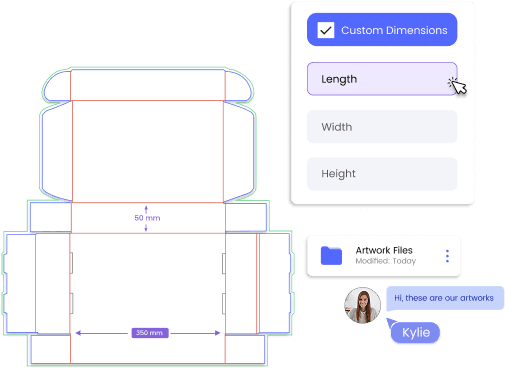
 File Format Requirements
 Color Mode
 Bleed, Trim & Safety Area
 Artwork Placement Guideline
 Image Resolution
 Fonts & Typography
 File Organization & Naming
Submit print-ready files in vector format whenever possible.
Convert all fonts to outlines and embed all images before submission.
All artwork must be created in CMYK color mode. RGB is for screens and will shift during printing. Color mismatches are most likely to occur when RGB files are converted during production. CMYK ensures accurate, predictable print output
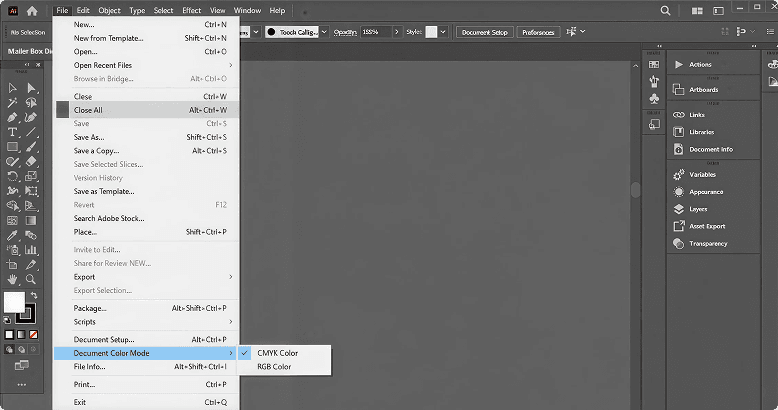
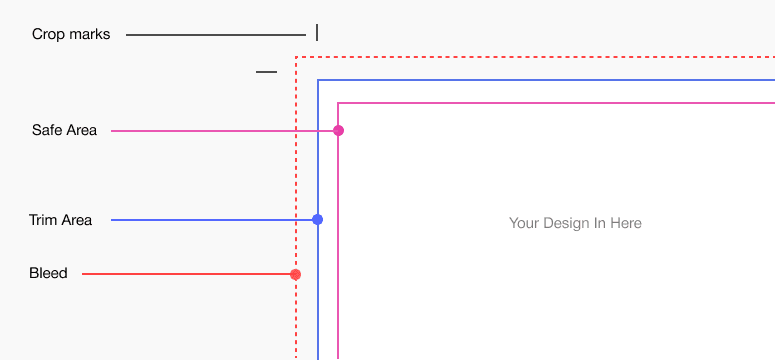
To ensure clean cutting and professional results:
Bleed prevents unwanted white edges due to cutting tolerances
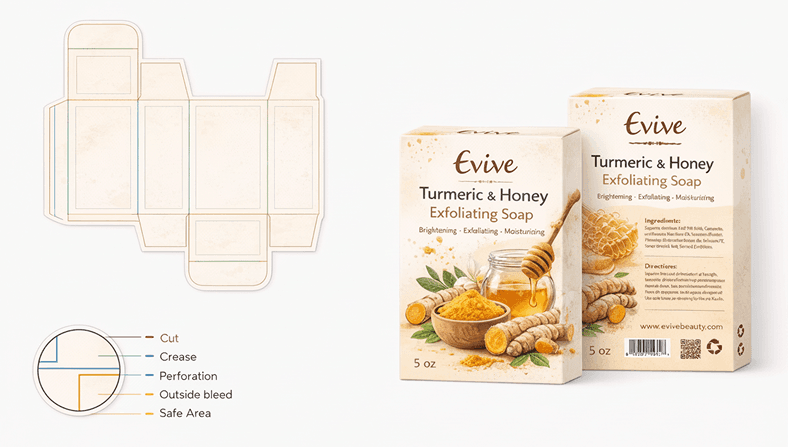
Dielines define how your packaging is cut, folded, and assembled.
Standard Dieline Indicators:
For rigid or wrap boxes, larger bleed (5–10mm) may be required
Use high-resolution graphics to prevent quality loss.
Any pixel-based artwork below recommended resolution may appear blurred or rough after printing.
Small or thin fonts may become unreadable in print
Small or thin fonts may become unreadable in print
Subscribe for Updates: Stay informed about the latest product updates, and packaging insights by subscribing to our newsletter.
